x
C
Technology

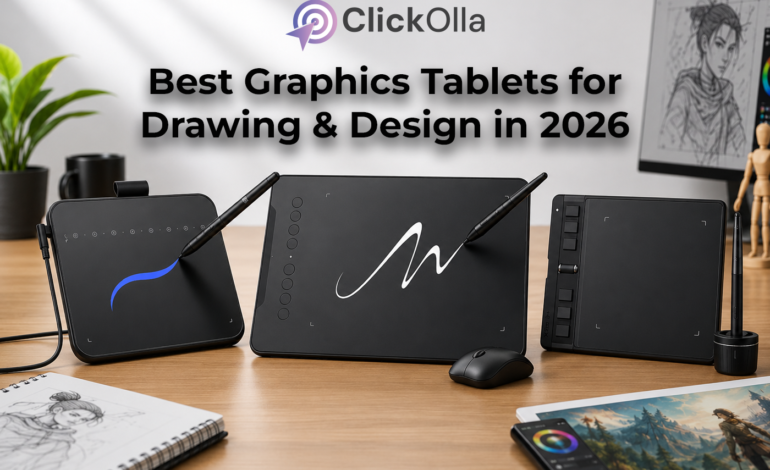
Best Graphics Tablets for Drawing & Design in 2026

Best Graphics Tablets for Drawing & Design in 2026
  • PublishedJune 5, 2026

The world of digital creativity has transformed dramatically in recent years. Whether you’re a graphic designer, digital artist, illustrator, architect, student, animator, or online educator, having the right graphics tablet can significantly improve your workflow and creative output.

Traditional mouse-based design work often limits precision, making detailed illustration, photo editing, and handwriting tasks more challenging. This is where graphics tablets come into play. These devices provide natural pen-like control, allowing users to draw, sketch, write, edit, and create with greater accuracy and comfort.

Today, brands like XP-Pen have made professional-grade graphics tablets accessible even to beginners and students. From compact portable tablets for online classes to advanced tablets for professional design work, there is a perfect option for every budget.

In this comprehensive guide, we’ll analyze five of the most popular graphics tablets available right now. We’ll explore their specifications, benefits, strengths, limitations, and ideal use cases so you can confidently choose the best graphics tablet for your needs.

XP-Pen Deco 01 V2 Graphics Tablet

Why It Stands Out

The XP-Pen Deco 01 V2 is one of the most recommended graphics tablets for designers, illustrators, and students seeking a larger working area without spending a fortune.

  • Large active drawing area
  • 8192 pressure sensitivity levels
  • Battery-free stylus
  • Supports Android devices
  • Multiple customizable shortcut keys
  • Compatible with Windows, macOS, Linux, and Android

    ✔ Large workspace for detailed artwork

    ✔ Natural drawing experience

    ✔ Excellent pressure sensitivity

    ✔ Ideal for Photoshop and Illustrator

    ✔ Great value for money

    • Professional-level performance
    • Smooth pen tracking
    • Excellent compatibility
    • Durable construction
    • Beginner-friendly setup
    • Slightly larger for travel
    • Learning curve for first-time users
    • Graphic designers
    • Digital artists
    • Architecture students
    • Illustrators
    • Photo editors

Graphics Drawing Tablet with Pressure Sensitivity & Shortcut Keys

A Budget-Friendly Option for Beginners

If you’re entering the world of digital art, this graphics tablet offers impressive features at an affordable price point.

  • Pressure-sensitive stylus
  • Shortcut keys
  • Lightweight design
  • Plug-and-play compatibility
  • Suitable for beginners

    ✔ Affordable entry-level solution

    ✔ Good accuracy for basic drawing

    ✔ Easy setup process

    ✔ Portable design

    • Budget-friendly
    • Lightweight
    • Suitable for online classes
    • Easy to carry
    • Smaller work area
    • Limited advanced features
    • Students
    • Hobby artists
    • Online teachers
    • Beginners learning Photoshop

XP-Pen Star G640 Graphics Tablet

Best Budget Graphics Tablet for Students

The XP-Pen Star G640 has become a favorite among students, educators, and beginner artists due to its affordability and reliable performance.

  • 8192 pressure levels
  • Battery-free stylus
  • Compact design
  • Lightweight body
  • Supports major operating systems

    ✔ Perfect for online teaching

    ✔ Ideal for note-taking

    ✔ Compact and portable

    ✔ Affordable price

    • Excellent value
    • Responsive stylus
    • Lightweight
    • Easy installation
    • Small drawing area
    • Not ideal for professional illustrators
    • Online teachers
    • Students
    • Beginners
    • Remote workers

XP-Pen Star G640 Ultra-Thin Graphics Tablet

Best Compact Tablet for Portability

This ultra-thin graphics tablet focuses on simplicity, portability, and convenience.

  • Ultra-thin profile
  • Lightweight design
  • Battery-free pen
  • High pressure sensitivity
  • Plug-and-play functionality

    ✔ Travel-friendly

    ✔ Minimal desk space required

    ✔ Great for online classes

    ✔ Reliable performance

    • Slim design
    • Easy portability
    • Affordable pricing
    • User-friendly
    • Small workspace
    • Limited professional features
    • College students
    • Online tutors
    • Remote workers
    • Beginners

XP-Pen Deco Mini Graphics Tablet

Best Compact Professional Graphics Tablet

The XP-Pen Deco Mini delivers premium features in a compact format.

  • Advanced pressure sensitivity
  • Customizable shortcut keys
  • Battery-free stylus
  • Compact design
  • Excellent compatibility

✔ Professional drawing performance

✔ Highly portable

✔ Strong pressure accuracy

✔ Great productivity features

  • Premium build quality
  • Responsive stylus
  • Compact but powerful
  • Great software compatibility
  • Smaller active area than larger tablets
  • Shortcut configuration takes time
  • Freelancers
  • Designers
  • Illustrators
  • Students needing advanced features

HUION H640P Graphics Drawing Tablet

Overview

The HUION H640P is one of the company’s best-selling compact drawing tablets. It combines affordability with professional-grade features, making it suitable for both beginners and experienced users.

  • Battery-Free Stylus
  • 8192 Levels Pressure Sensitivity
  • 6 Customizable Shortcut Keys
  • Compact Design
  • Android Compatibility
  • Windows & macOS Support

    ✔ Extremely responsive pen performance

    ✔ Excellent handwriting experience

    ✔ Lightweight and portable

    ✔ Great value for money

    ✔ Suitable for online teaching

    • Affordable pricing
    • Excellent pressure sensitivity
    • Comfortable drawing experience
    • Reliable drivers
    • Battery-free stylus
    • Smaller active area
    • Not ideal for large illustrations
    • Students
    • Online educators
    • Beginner artists
    • Graphic design learners
    • Note-taking professionals

XP-Pen Star G640

Overview

Although not a HUION product, the XP-Pen Star G640 remains one of the strongest competitors in the entry-level graphics tablet segment.

  • 8192 Pressure Levels
  • Battery-Free Stylus
  • Ultra-Compact Design
  • Lightweight Construction
  • Cross-Platform Support

    ✔ Beginner-friendly

    ✔ Easy setup

    ✔ Excellent for online classes

    ✔ Portable and travel-friendly

    • Budget-friendly
    • Reliable performance
    • Compact size
    • Low learning curve
    • Limited drawing area
    • Basic shortcut functionality
    • Students
    • Teachers
    • Beginners
    • Freelancers

HUION Inspiroy 2 Graphics Tablet

Overview

The HUION Inspiroy 2 represents a major upgrade in productivity and workflow efficiency. Designed for modern creators, it offers enhanced precision and customization.

  • Advanced Battery-Free Pen
  • Programmable Shortcut Keys
  • High Pressure Sensitivity
  • Ergonomic Design
  • Multiple Software Compatibility
  • Premium build quality
  • Excellent pen response
  • Modern design
  • Highly customizable
  • Higher price than entry-level tablets
  • Additional setup for shortcuts
  • Professional illustrators
  • Graphic designers
  • Digital artists
  • Animators

HUION HS64 Graphics Tablet

Overview

The HUION HS64 is designed for users who need flexibility, portability, and compatibility across multiple devices.

  • Battery-Free Stylus
  • Android Support
  • Compact Working Area
  • Lightweight Design
  • Fast Response Rate

    ✔ Excellent mobility

    ✔ Great for online classes

    ✔ Easy transportation

    ✔ Multi-device compatibility

    • Affordable
    • Android compatible
    • Lightweight
    • Easy setup
    • Mobile users
    • Students
    • Teachers
    • Beginner designers

HUION Note Digital Notebook

Overview

The HUION Note is a unique hybrid device that combines traditional note-taking with digital synchronization, making it ideal for professionals and students.

  • Digital Notebook Design
  • Real Ink Writing Experience
  • Battery-Free Technology
  • Cloud Synchronization Support
  • 9.5 x 7 Inch Working Area

    ✔ Real paper writing feel

    ✔ Digital backup of notes

    ✔ Productivity enhancement

    ✔ Perfect for meetings

    • Innovative design
    • Great handwriting experience
    • Professional appearance
    • Easy note organization
    • Not intended for professional illustration
    • Different workflow than standard tablets
    • Business professionals
    • College students
    • Meeting organizers
    • Writers
    • Researchers

Frequently Asked Questions

1. Which HUION tablet is best for beginners?

The HUION H640P is widely considered one of the best beginner-friendly graphics tablets because of its affordability and professional features.

2. Are HUION tablets good for Photoshop?

Yes. HUION tablets work exceptionally well with Adobe Photoshop, Illustrator, Lightroom, and many other creative applications.

3. What is a battery-free stylus?

A battery-free stylus uses electromagnetic technology and never requires charging, making it more convenient and lightweight.

4. Can I use a HUION tablet for online teaching?

Absolutely. HUION tablets are popular among educators for writing equations, annotations, and conducting virtual classes.

5. Is HUION better than XP-Pen?

Both brands are excellent. HUION often offers stronger productivity features, while XP-Pen is known for competitive pricing and beginner-friendly models.

Written By
artistrywander@gmail.com

Leave a Reply

Your email address will not be published. Required fields are marked *